
Apple released iOS 27.2 on October 26, bringing improvements to Siri AI, adding suggestions in Messages, and introducing a series of smaller additions to Photos, Podcasts, Games, Apple TV, and FaceTime.

iOS 27.2 is now available for download to your device via Settings ➝ General ➝ Software Update. Note that some features may not be available in all regions or on all iPhone models. Apple maintains a feature availability list with full details.
Ask Siri about past conversations
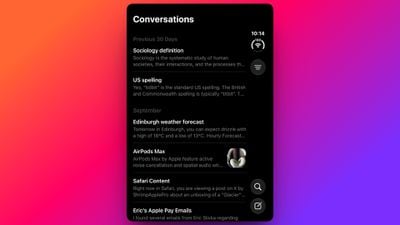
Siri AI can now recall your past conversations, so you can ask it about something it told you before, like which restaurants it recommended last week. Siri AI features require iPhone 16 model or later, or iPhone 15 Pro or iPhone 15 Pro Max.
Get answers from more of your personal context
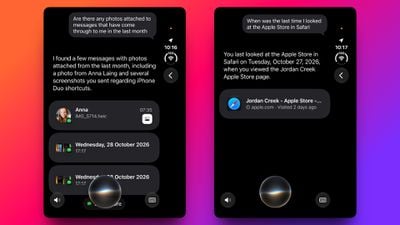
Siri AI can now rely on more sources to respond, including photos attached to messages, participants in calendar events, and your voicemails. Apple says you’ll also get better results with Safari History and Reading List.
Use Siri in more languages

Siri AI now supports French, Japanese, Korean, Portuguese, and Spanish, in addition to English. Just keep in mind that, as it stands, it’s not available in the EU or mainland China.
Control which apps Siri and Search can access
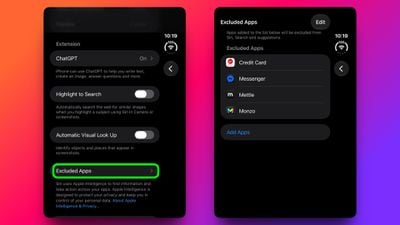
A new settings menu has been added that lets you choose which apps Siri, Search, and Suggestions can access, all from one list. You can find it in Settings ➝ Siri ➝ Excluded apps.
Copy just part of a Siri response
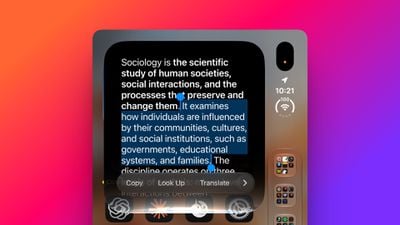
Granular text selection lets you select and copy only the part of a Siri response you need, rather than the entire response.
Act on suggestions in messages
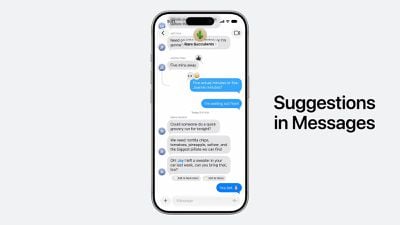
The new Suggestions in Messages feature aims to help you take quick actions based on the context of a conversation, like adding a calendar invitation for dinner or saving a reminder. The feature appeared during iOS 27 beta testing but was held back from the initial release, so its arrival was good timing.
Manage shared albums more easily
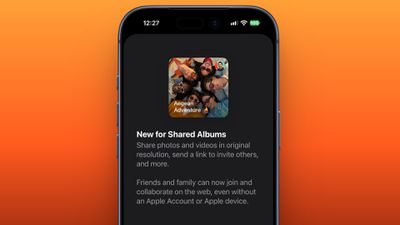
Shared albums in Photos benefit from three additions. You can now edit captions and comments, the app can avoid adding duplicate photos, and it can display a reminder before an album expires so participants can save important photos and videos.
Spot AI-generated images
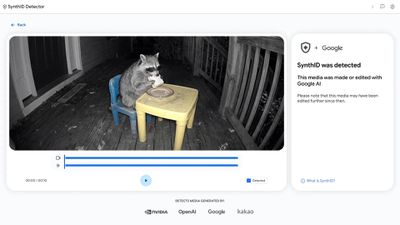
iOS 27.2 supports the SynthID watermark, which aims to help you identify whether an image was generated or modified with the generative tools in Photos and Image Playground.
See what your friends are playing
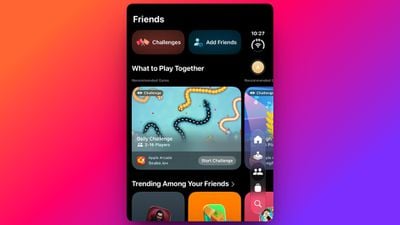
In the Games app, the Friends tab now provides context around friend suggestions and shows you all the recent games your friends have played on their gamer pages.
Create Apple TV profiles for your home
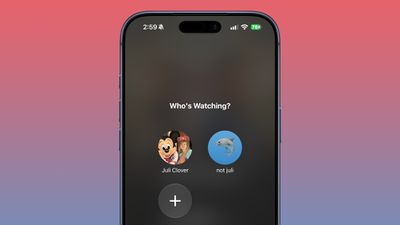
If you have an Apple TV, you can now create profiles in the account settings section on iPhone and iPad. All you need for a profile is a name, and whether it’s an adult or a child. Creating a profile for a child limits content to a default PG rating, but there is a customization option for finer control. You can select age categories for TV shows and movies suitable for the child based on their age.
Stream FaceTime from the front and rear cameras

Dual Capture is now available in FaceTime group calls, so you can stream FaceTime video content from the front and rear cameras at the same time. On a compatible device running iOS 27.2, flipping the camera during a FaceTime call automatically enables dual capture.
Dual Capture is available on iPhone 17, iPhone 17 Pro, iPhone 17 Pro Max, iPhone Air, iPhone 18 Pro, iPhone 18 Pro Max, and iPhone Duo.
Watch multiple live sports streams at once
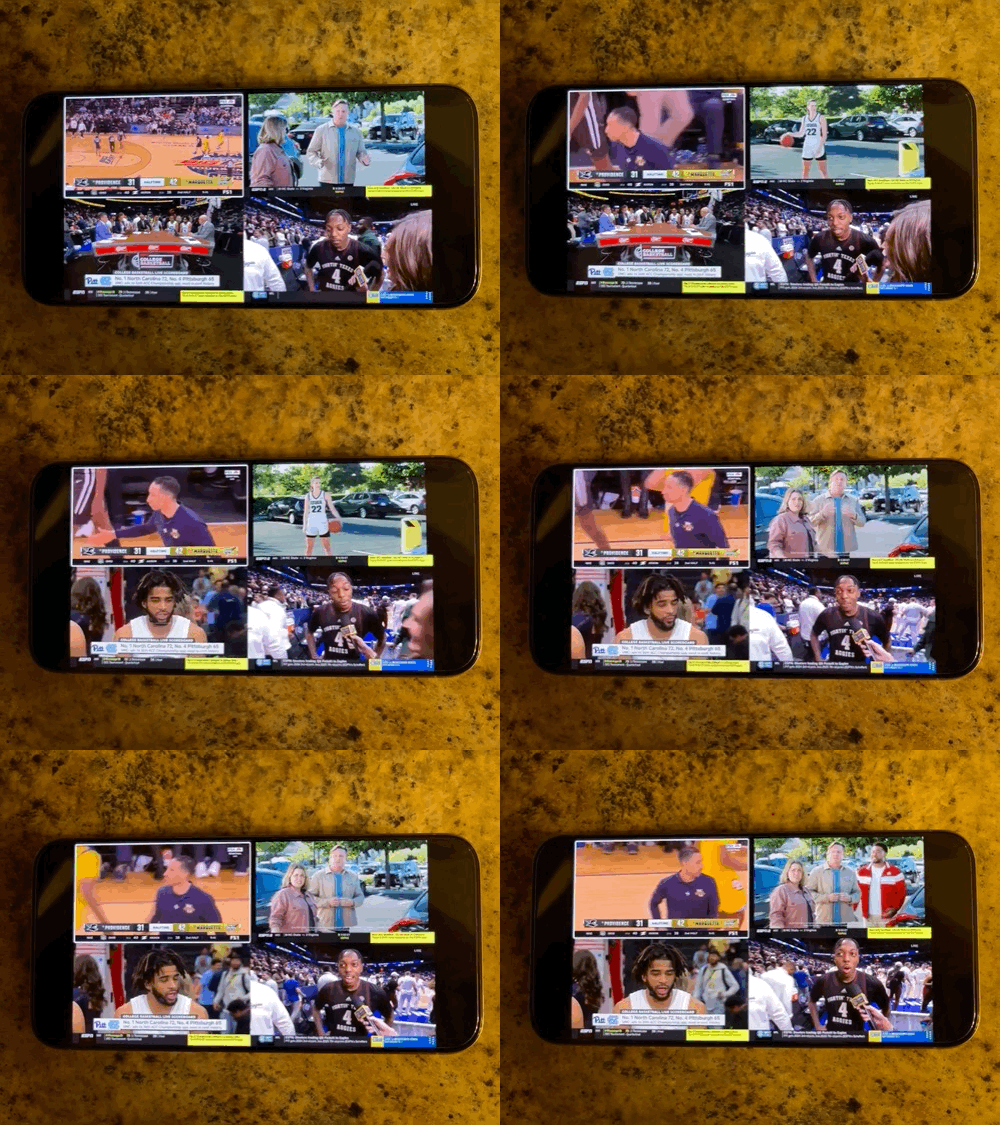
Multiview has been expanded in the Apple TV app on iPhone, so you can now watch up to four live sports streams at the same time. Multiview works for sporting events that come with an Apple TV subscription, so these are Major League Soccer (MLS), Formula 1 (F1) in the United States, and Friday Night Baseball doubleheaders during the Major League Baseball season.
Support for iPhone Duo Edge Light and Apple Pencil

iOS 27.2 adds Apple Pencil USB-C support to the iPhone Duo. It also includes support for the Edge Light feature that first appeared in macOS to light up your face during video calls.
Remember a contact’s birthday during a call

A new feature in Call Context reminds you that it’s your birthday when you call that special someone – provided you’ve added the date in the Contacts app. To add a birthday to a contact, open the Contacts app and select their name. Tap “Edit” in the corner, then tap “Add a date” and the first suggestion under the date is anniversary. Do it now. It could save your marriage…
Gn tech