
The easiest way to stop your watch from distracting you at the movies.
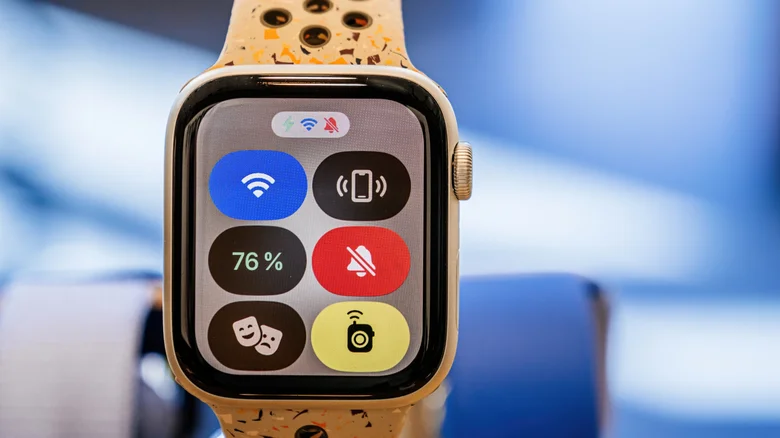
Apple Watches do much more than tell the time, offering their wearers many of the benefits of the iPhone in addition to a suite of biometric data. However, they also have an assortment of additional features with more specialized, but valuable, use cases. One of those underrated Apple Watch features is Theater Mode, perfect for when you need your watch to calm down.
Theater mode is a neat little toggle designed to help you dim your watch in a similar way to Do Not Disturb mode. The setting launched with watchOS 3.2, meaning even the original Apple Watch, which hit stores in 2015, can use it. Therefore, if you want to make notifications as subtle as possible, without blocking them completely, you can simply enable this nifty mode on any Apple Watch you might have.
How Theater Mode works and how to enable it
Enabling Theater Mode will dim the Apple Watch’s bright lights and muffle it; This will turn off the screen, silence the device, and turn off visual notifications. Additionally, this will also prevent the screen from waking up every time you raise your wrist, meaning you’ll have to tap the screen or press one of the buttons on the Apple Watch to turn the screen back on.
The big difference between this mode and the complete serenity of Do Not Disturb (besides the display being turned off) is that Theater Mode will let you keep haptics enabled, meaning you’ll still be able to feel the vibration of a notification.
If you want to enable this feature, simply press the side button on your watch (the flat oval button) to bring up the Control Center. From here, you can switch to Theater mode by tapping the icon resembling the theatrical comedy-tragedy masks. Unlike Do Not Disturb, however, there are no requirements to turn off Theater mode after a certain duration or event, so you’ll have to toggle the mode manually.
The best times to use Theater Mode
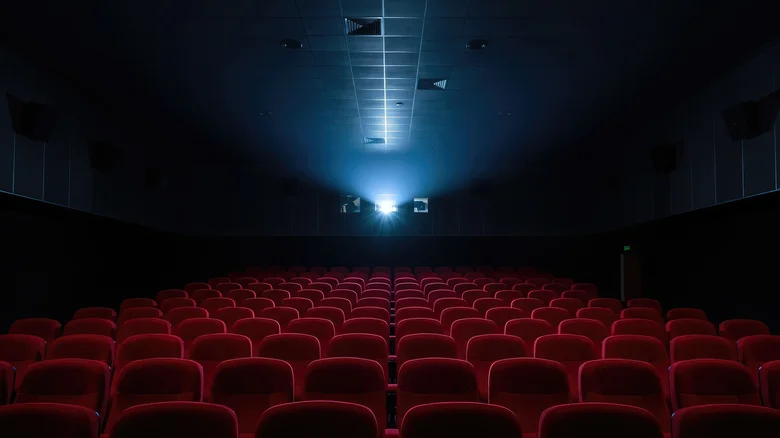
Obviously, this mode is ideal for places where calm and consideration are essential, whether watching a play or a film on the big screen. It’s also a great feature when you’re attending meetings or other social events that require your full attention. Either way, the mode will block out any distractions that might irritate anyone in your environment, while subtly keeping you in the loop.
Theater Mode also has a few extra perks that make it even more useful. Mainly, it can reduce battery drain by preventing your watch from waking up at the slightest gesture. You can also choose to suppress certain biometric readings, such as blood oxygen readings, when your watch is in this mode. To enable this option, you can simply go to Settings and click the playback you want to keep or turn off during Theater mode, if applicable.
Gn tech