

watchOS 27.3 arrived this week in beta alongside iOS 27.3, with a major new feature for the latest Apple Watch models: Siri Recap, which I already love.
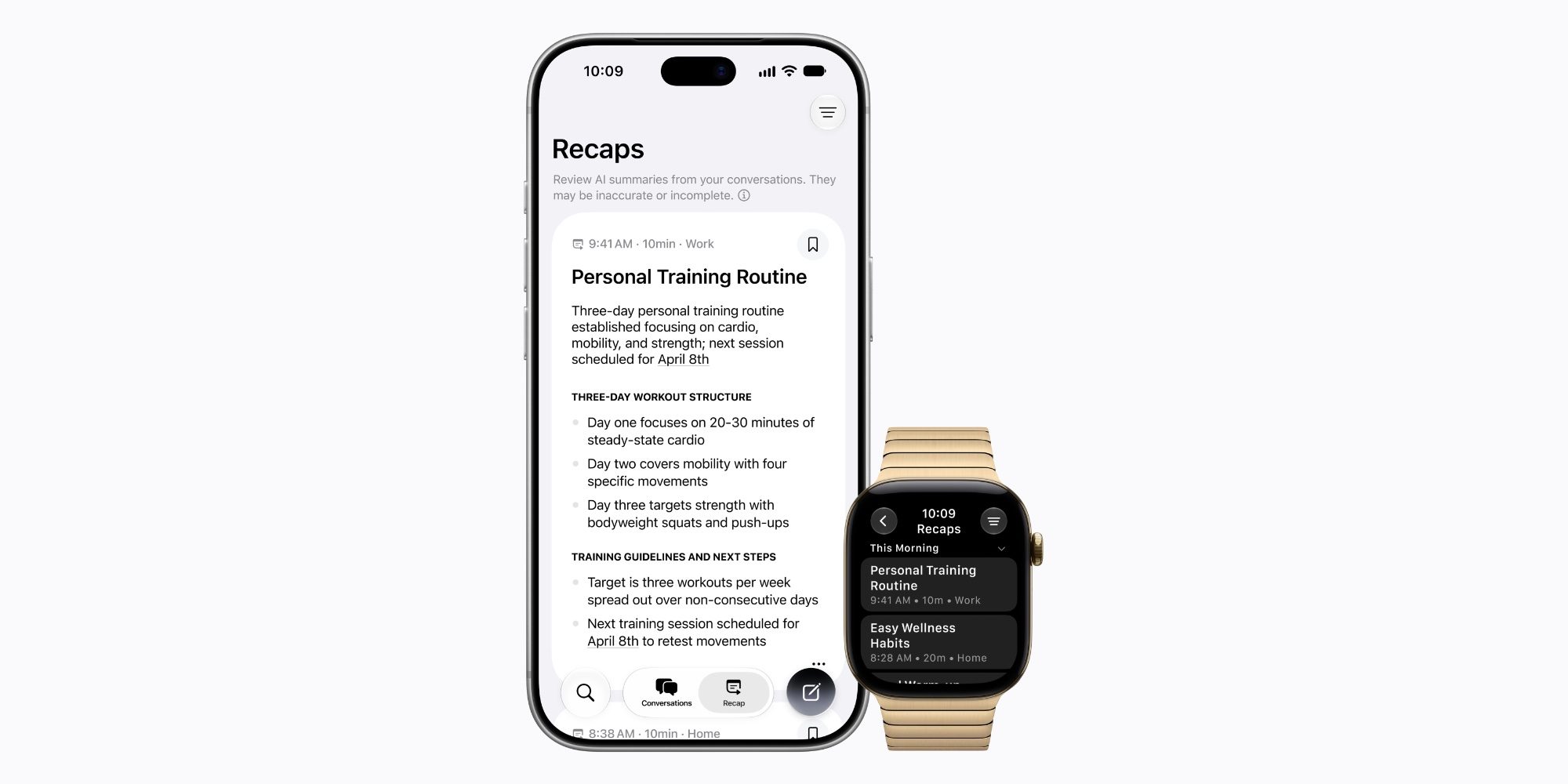
If you purchased an Apple Watch Series 12 or Apple Watch Ultra 4 this fall, two new exclusive features will be available in watchOS 27.3: Siri Recap and Live Rewind.
Both “Audio Intelligence” features were announced during Apple’s September keynote, but just debuted in beta this week.
Siri Recap in particular has caused some controversy. Here’s what this feature does, according to Apple:
Siri Recap takes ambient notes about your conversations throughout the day and creates high-level summaries generated by Apple Intelligence that you can use later to refresh your memory, so you can stay present in the moment. Siri Recaps can be set to automatically delete after a period of up to 7 days unless you choose to explicitly save them.
We understand why users would be worried. Once enabled, Siri Recap can turn your Apple Watch into a device that’s always listening and often taking notes on what it hears.
This article is not intended to advocate for the privacy of this feature. You can read Apple’s privacy protections here. In brief, key details include: there is no speaker attribution or logging of sensitive information such as financial data, authentication data or personal identifiers; no audio is stored or recorded; the feature is optional; and you can set times or locations where it remains disabled.
Speaking strictly about the functionality of Siri Recap itself, I was very impressed.
My Experience with Siri Summary So Far

I enabled Siri Recap after installing the iOS and watchOS 27.3 betas on Tuesday. When I checked the first recaps on Wednesday in the Siri app, I was blown away.
Siri had created a recording of the things I did Tuesday afternoon and evening with remarkable accuracy and detail, as seen above.
One example that particularly shocked me: After shopping for Christmas decorations with my family, Siri documented the size of a table runner we were looking at. The thing is, I had no memory of anyone even mentioning his size. My wife must have done it, but even though I missed it, Siri noted it.
Another fun thing: Thursday morning during breakfast, my son wanted to listen to music on our HomePod. Later that day, I discovered that the songs we had listened to were recorded at the bottom of my latest recap.

It’s still early days for Siri Recap, currently only in beta, but what I’ve seen this week has been really exciting. And so far at least, I haven’t seen any information in a recap that I would consider too sensitive to include.
What do you think of Siri’s summary? Have you tried it? Let us know in the comments.
Best Apple Watch and iPhone accessories


FTC: We use automatic, revenue-generating affiliate links. More.
Gn tech