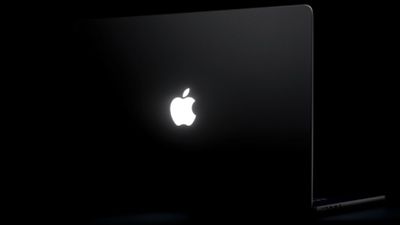
A new “Backglow” application created by designer Juan Buis allows you to personalize the illuminated Apple logo on the lid of new MacBook Pro models.
The free version of the app allows you to manually adjust the brightness level of the Apple logo, independent of the brightness level of the MacBook Pro screen. You can also disable it completely with a single click, rather than having to use Terminal.
Another free option is a “Breathe” mode that gently blinks the logo light similar to the sleep light on older MacBooks.
A one-time payment unlocks the Pro version of the app: $9 for a limited time or $15 later. This gives you two additional modes: “Music” mode makes the logo light move to the beat of the music you play on your Mac, while “Agents” mode makes the light vibrate while Claude Code works and flash when your attention is required.
here’s what it can do: – manually adjust the brightness of the logo (Apple doesn’t allow you to do this)
– breathe slowly, like the old Mac night light
– vibrate to the rhythm of your music
– blink when Claude needs you
– turn off logo light in one click, try it here: https://t.co/WZTWMq5yAf https://t.co/FI0o9ayKBZ — juan (@juanbuis) November 6, 2026
Apple began phasing out the glowing logo on MacBooks in 2015, but brought back the feature with new 14- and 16-inch MacBook Pro models with PROLED XDR displays released Friday. On older MacBooks, the logo was illuminated by the screen backlight, but OLED displays don’t have a backlight, so a new method was needed.
Bold FireballJohn Gruber of ‘s learned that Apple designed a “custom light source just to allow the logo to shine again, without adding extra thickness to the lid.” For what? “Because it’s great,” he heard an Apple representative say.
By default, Apple says the logo is illuminated whenever the Mac is woken up. It automatically brightens or darkens based on the screen brightness level and the lighting conditions in your environment detected by the computer’s ambient light sensor.
Buis said the logo is illuminated by a white LED that does not change color.
Gn tech