Google has just offered you a new tool that is quite powerful for checking fraudulent messages in Google Messages. You know Circle to search? You can use it now to try to identify potential scams.
I don’t know why Google didn’t announce this yesterday as part of its Android security update for Google Messages, but it’s super nice. Circle to Search is one of the best new Android features in years and that only adds to its usefulness, especially with the increase in spam and scam SMS messages.
How to circle search in Google Messages to detect scams?
To try, you’ll open your Google Messages app, search for a message you’re interested in, press and hold your home button or navigation bar, and then once the Circle to Search animation is enabled, you’ll circle the message.
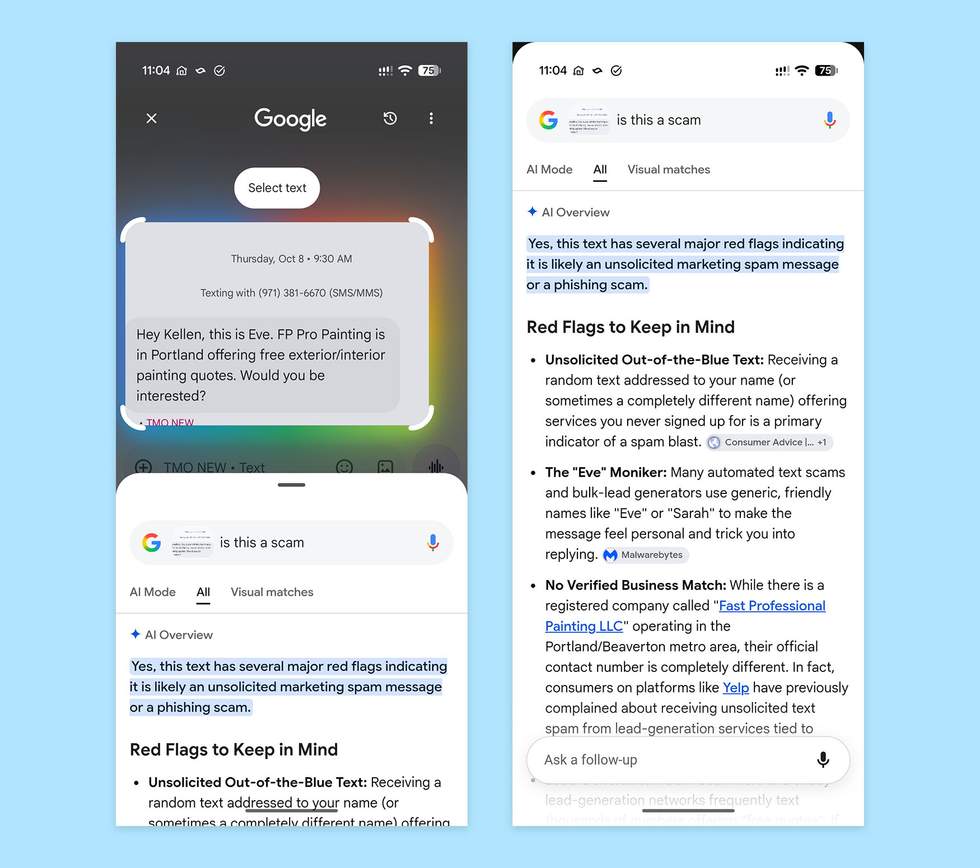
From there, Google will launch an AI preview with tips and insights into the message. They might even suggest next steps if they think it’s a scam, such as whether or not you should consider deleting the message and blocking the number.
In the example above, you will see an unsolicited spam message that I received from someone claiming to be a painting company and wanted to come to my house for a quote. Circle to Search agrees that this is a scam and then lists several red flags.
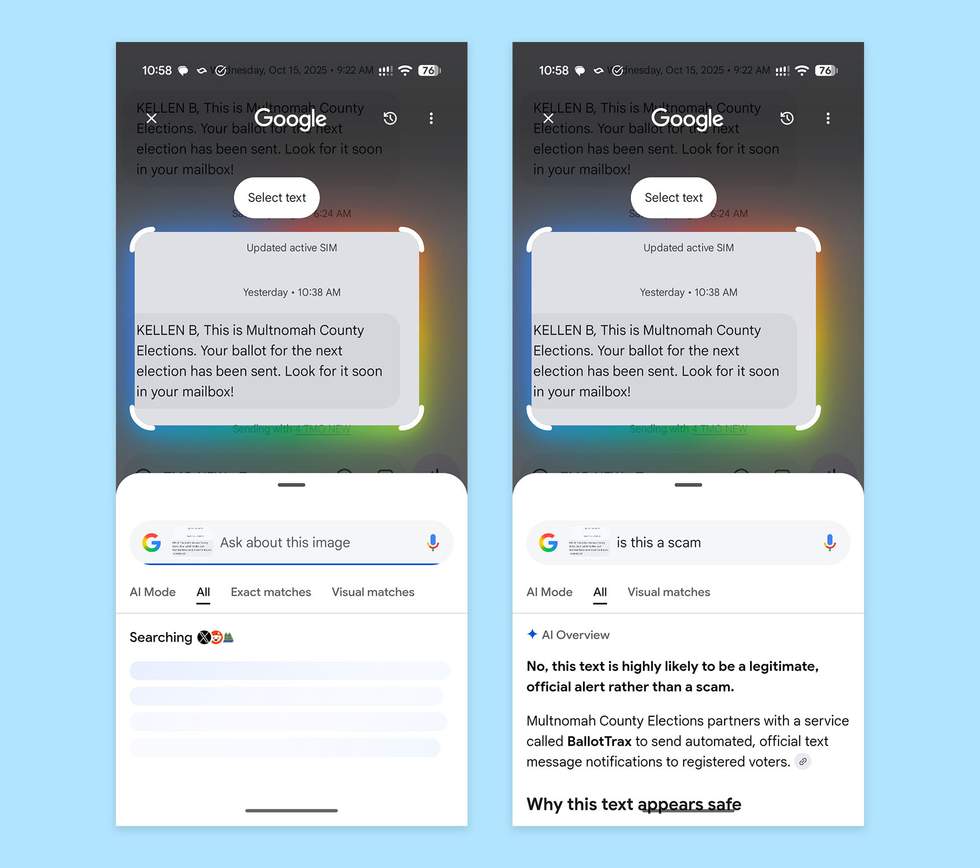
Of course, if the message is good, we hope he realizes it and brings you some peace. Below I tried it on another message and it said: “No, this text is most likely a legitimate official alert rather than a scam. ” Good.
This should be available now on your Android phone, provided it supports Circle to Search.
Gn tech