
Grand Theft Auto 6 is so close that you can now preload the game on your console before its official release this Thursday, November 19. After years of anticipation and multiple delays, there is no doubt that this game will be one of the biggest titles in video game history. But when can you actually start playing? We’re about a week away from the official release date, but the exact time varies by time zone.
If you can’t wait for it to be unlocked in your region, there is a trick to access the game early, depending on the console you’re playing on. Here’s when Grand Theft Auto 6 will unlock on your console and how to potentially get it almost a day early.
What time does Grand Theft Auto 6 unlock by time zone?
When GTA 6 comes out, it probably won’t be unlocked for everyone at once. Instead, the game is scheduled to release at midnight local time in your time zone, according to a Rockstar article from November 3.
This means the release will begin in New Zealand, where the game launches on November 18 at 11:00 UTC (12:00 NZDT), before being unlocked in Australia, then Asia and the Middle East. By 22:00 UTC, the game will be available in Eastern European countries, before reaching the rest of Europe an hour later. GTA 6 will be unlocked in the UK by November 19 at 00:00 UTC (00:00 GMT). South American countries will have access before North America.
If you’re playing in the US, you’ll also see the game unlock at midnight local time. This means that those on the East Coast will be able to play before players on the West Coast. Previously, we expected GTA 6 to release in the US at midnight ET for all time zones.
These release times are still subject to change.
How to play Grand Theft Auto 6 early in the US
Don’t want to wait for your copy of the game to unlock? You may be able to get early access by updating your gaming console’s time zone, but it all depends on the platform you have chosen to play GTA 6.
Since New Zealand is getting the game first, Xbox owners can change their console’s region to New Zealand to try and access the game once it hits midnight NZDT (8 a.m. ET).
To change your Xbox region settings to New Zealand, follow these steps:
Recommended by our editors


On your Xbox dashboard, go to Settings
Scroll to System
On the right side, select Language and location
Change your region to New Zealand
Hit Restart now to save your changes
If you’re playing on PlayStation 5, this process may be possible, but it’s a bit more complicated since your account is region locked. For this to work, you’ll need to create a separate PSN account, likely using a virtual private network (VPN) set to New Zealand. You will then need to purchase a copy of the game through the New Zealand PlayStation Store. This may require a payment method compatible with the region and may also cost you more after currency conversion. Even after all of this, there is no guarantee that it will actually work.
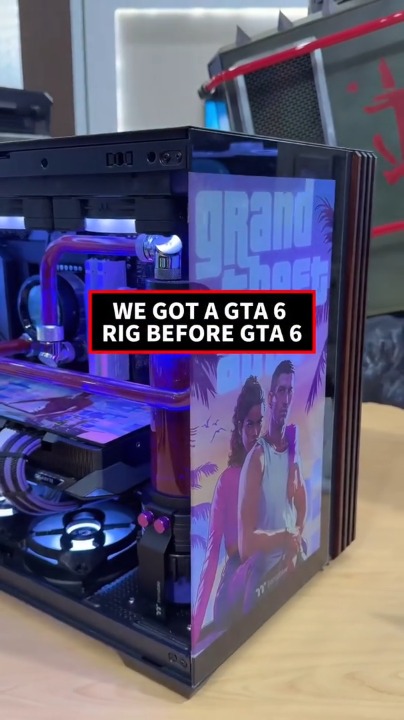

We had a GTA 6 PC before we had GTA 6
Is the time zone trick worth it?
Changing your time zone could give you early access to GTA 6, as it has worked for other games like Call of Duty. But this is not a guarantee. “It’s likely that Rockstar will find a way to stop this,” said Jordan Minor, PCMag’s video game expert.
If you want to change your time zone on your Xbox, this is a low-effort step that can get you playing the game about 18-19 hours earlier. The PlayStation workaround, however, is much trickier and may not be worth the effort.
How to pre-order Grand Theft Auto 6
Haven’t pre-ordered your copy of GTA 6 yet? Here’s how to make sure you’re ready to go when the game arrives in your time zone.
Amazon:
PlayStation Store:
Walmart:
Xbox Store:
About our expert

Jason Cohen
Senior Editor
Experience
As PCMag’s content editor, I have to cover a wide variety of topics and also make our stories accessible to everyday users. Given my history as a technical writer, editor, and all-around freelancer covering baseball, comics, and more in various media, I’m no stranger to becoming an expert.
I think tech companies are bad, but you might as well know how to use technology in everyday life. Want to learn more about how to deliver content directly to your inbox? Subscribe to the tips and tricks newsletter that I host three times a week.
My job as a guru means I use just about every gadget available, so I can figure out how everything works. I work from a Lenovo ThinkPad running Windows 11, but I also own a very large Dell Inspiron 17 3000 and an Apple Silicon MacBook. I have a Google Pixel 6a for personal use and use a Galaxy Z Flip 4 for additional Samsung-related testing. For iOS coverage, an iPhone 13 mini works wonderfully, although it’s already getting a bit long.
My office situation includes a dual-monitor setup with a modest Acer monitor. I also use a Logitech vertical mouse (which can use these ThinkPad trackpads) and a Havit keyboard (my first mechanical keyboard; I love it but my wife hates it!). I’m a recent convert to wired headphones; I have Anker Soundcore Liberty Air wireless headphones for personal use and have opted for the Sennheiser HD 450BT headphones for work.
Whenever I have a second to myself, I’m probably playing on my Nintendo Switch 2, Steam Deck, or Xbox Series S. I also still have a bunch of classic consoles lying around.
Read the full biography
Gn tech